


Connect With Us
Visit Us
250 West Nyack Road, Suite #200 West Nyack, NY 10994
Get Directions
Call Us Toll Free
877-GO-RUSTY
877-467-8789
Telephone
845-369-6869
Fax
845-228-8177
Departments
Departments
Departments
SUBSCRIBE TO NEWSCONTACT US
Last night, our latest crazy iPhone app was approved. It is named Bleeper and all it does is allow you to record yourself and click on the "bleep" icon to play that bleep sound. Yea, kind of funny and pointless - but perfect as an iPhone App, don't you think?
The neat part is you can share you "bleeps" on Twitter, Facebook or via email. That is where it can get fun. Let me take you through the app, step by step.
Here is the main screen. You basically click "record" start talking and then click the "bleep" icon in the middle to make the bleep sound where you want. When you are done, hit the "stop" icon (which is what the record button turns into after you hit record):
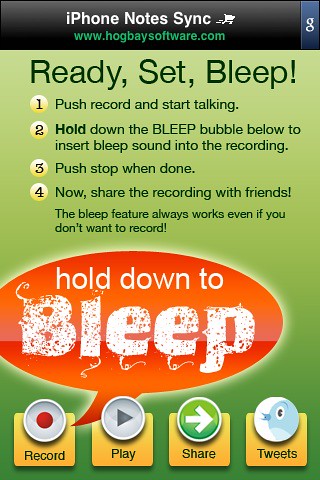
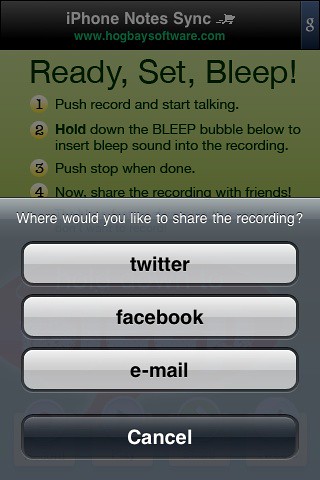
When you are done, you can hit "play" to listen to your most recent recording. If you are happy with it, hit "share" and you are given three options. Share on Twitter, Facebook or E-Mail.
Sharing on Twitter requires you to enter your username, password and a short message to be sent in your Tweet.
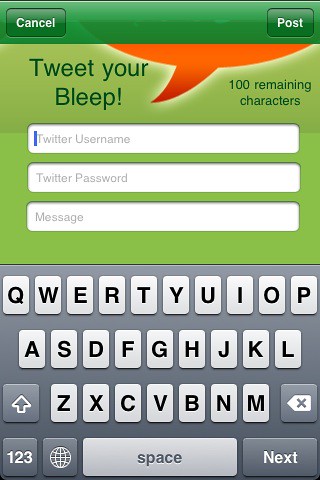
Then you hit share and it sends it:

You can then access all public Tweets from Bleeper by clicking on the Tweets icon:
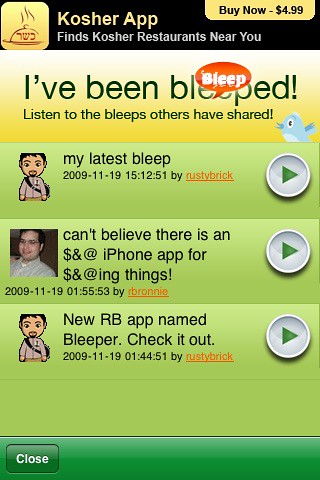
Clicking on the arrow on the right of the shared Tweets plays the audio right in your phone using the movie app:

If you listen to the Tweet in the timeline on Twitter.com, such as displayed here:
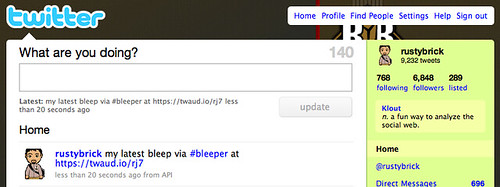
If you play it from here, on your desktop, it takes you here:
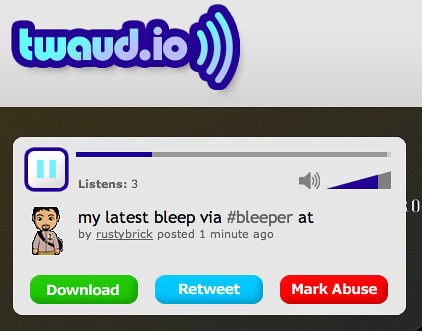
How about Facebook? We use Facebook Connect to send a status update to your Facebook profile.
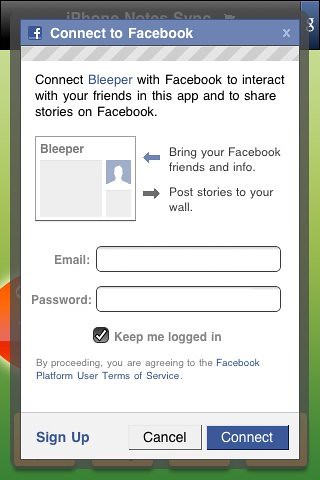
Type in a message:
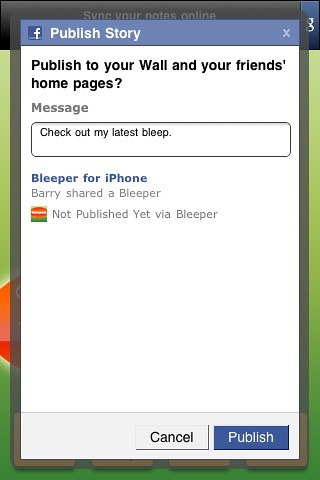
Hit Publish:

It is then shown on your Facebook profile page:
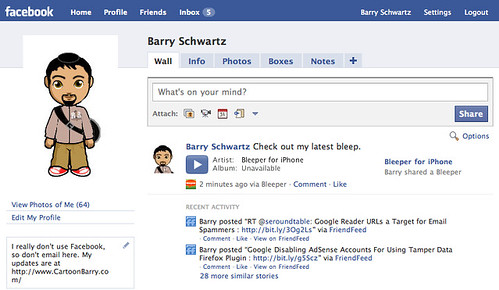
With a little audio player:

Sharing it via E-Mail basically attaches the wav file to your outgoing email:

That is basically how Bleeper works. You can download it for free on iTunes now.
250 West Nyack Road, Suite #200 West Nyack, NY 10994
Get Directions
877-GO-RUSTY
877-467-8789
845-369-6869
845-228-8177