


Connect With Us
Visit Us
250 West Nyack Road, Suite #200 West Nyack, NY 10994
Get Directions
Call Us Toll Free
877-GO-RUSTY
877-467-8789
Telephone
845-369-6869
Fax
845-228-8177
Departments
Departments
Departments
SUBSCRIBE TO NEWSCONTACT US
With version 4.1 of the iPhone Siddur now being available, a new feature has been unlocked for the Chabad community that prays using the Nusach Ari Siddur. We have worked out a deal with the Kehot Publication Society to have the official, copyrighted Nusach, available in our Siddur.
The upgrade is available directly in the app, using the in-app-purchase technology. It costs $4.99 to upgrade, Apple takes 30% and the rest will go to back to the Chabad community, the Kehot Publication Society.
Here is how to upgrade:
Go to the Nusach Ari text of the Siddur and notice the blue button at the top right that says "Upgrade."
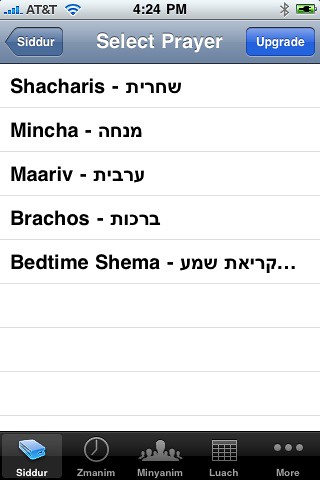
You are then taken to a screen that explains the price and details of the upgrade:
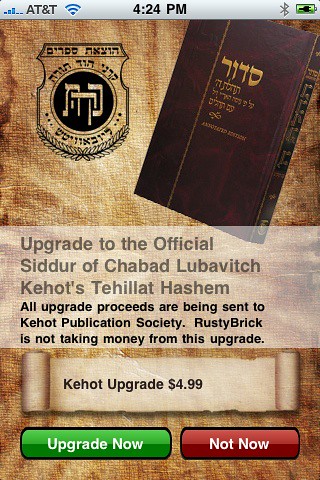
Click "Upgrade" and Apple asks you to confirm (your iTunes account will be charged):
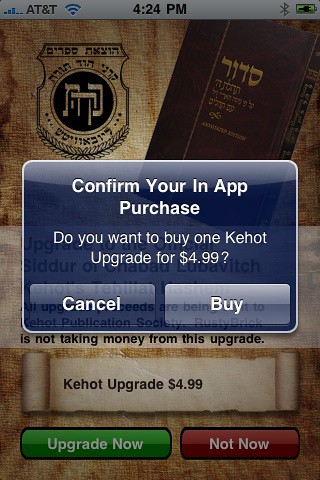
Click "Buy" and then the transaction should go through and you will know you have been upgraded if you see the "upgrade" button turn into a "Kehot.com" button:
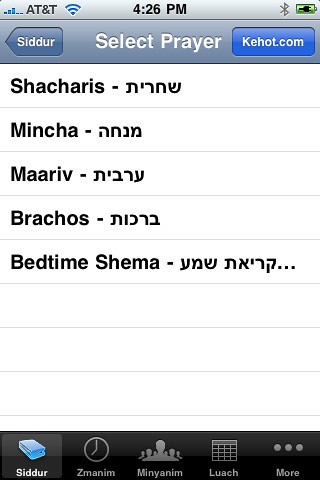
That is how you upgrade.
If you find any issues with the upgrade or the text, do let us know.
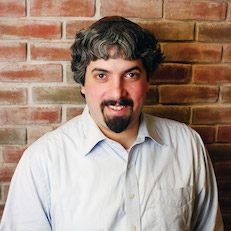
Barry Schwartz is the CEO of RustyBrick, a New York Web service firm specializing in customized online technology that helps companies decrease costs and increase sales. Barry is also the founder of the Search Engine Roundtable and the News Editor of Search Engine Land. He is well known & respected for his expertise in the search marketing industry. Barry graduated from the City University of New York and lives with his family in the NYC region.
This article is under iPhone
There is 1 comment for this post
250 West Nyack Road, Suite #200 West Nyack, NY 10994
Get Directions
877-GO-RUSTY
877-467-8789
845-369-6869
845-228-8177
1 COMMENT