


Connect With Us
Visit Us
250 West Nyack Road, Suite #200 West Nyack, NY 10994
Get Directions
Call Us Toll Free
877-GO-RUSTY
877-467-8789
Telephone
845-369-6869
Fax
845-228-8177
Departments
Departments
Departments
SUBSCRIBE TO NEWSCONTACT US
West Nyack, New York - RustyBrick, Inc. designed an AI-powered image screenshot scan similarity tool for the Search Engine Roundtable. The tool is named Is it new?
This tool visually reads image uploads and compares them to a 23-year-old database of already-processed image screenshots. The goal is to let users quickly see whether a Google or Bing search feature is new by uploading an image to the AI scanning tool. The Search Engine Roundtable often covers new Google and Bing search and ad features, so this tool should make it easier for its contributors to know if a feature is new or not.
Here is how it works:
We ran a custom-built AI system to scan all the images that are not hero images in the 23-year-old archive. The AI system would then build an image database categorizing keywords, metadata, and visual signals of the image. That process analyzed over 50,000 images.
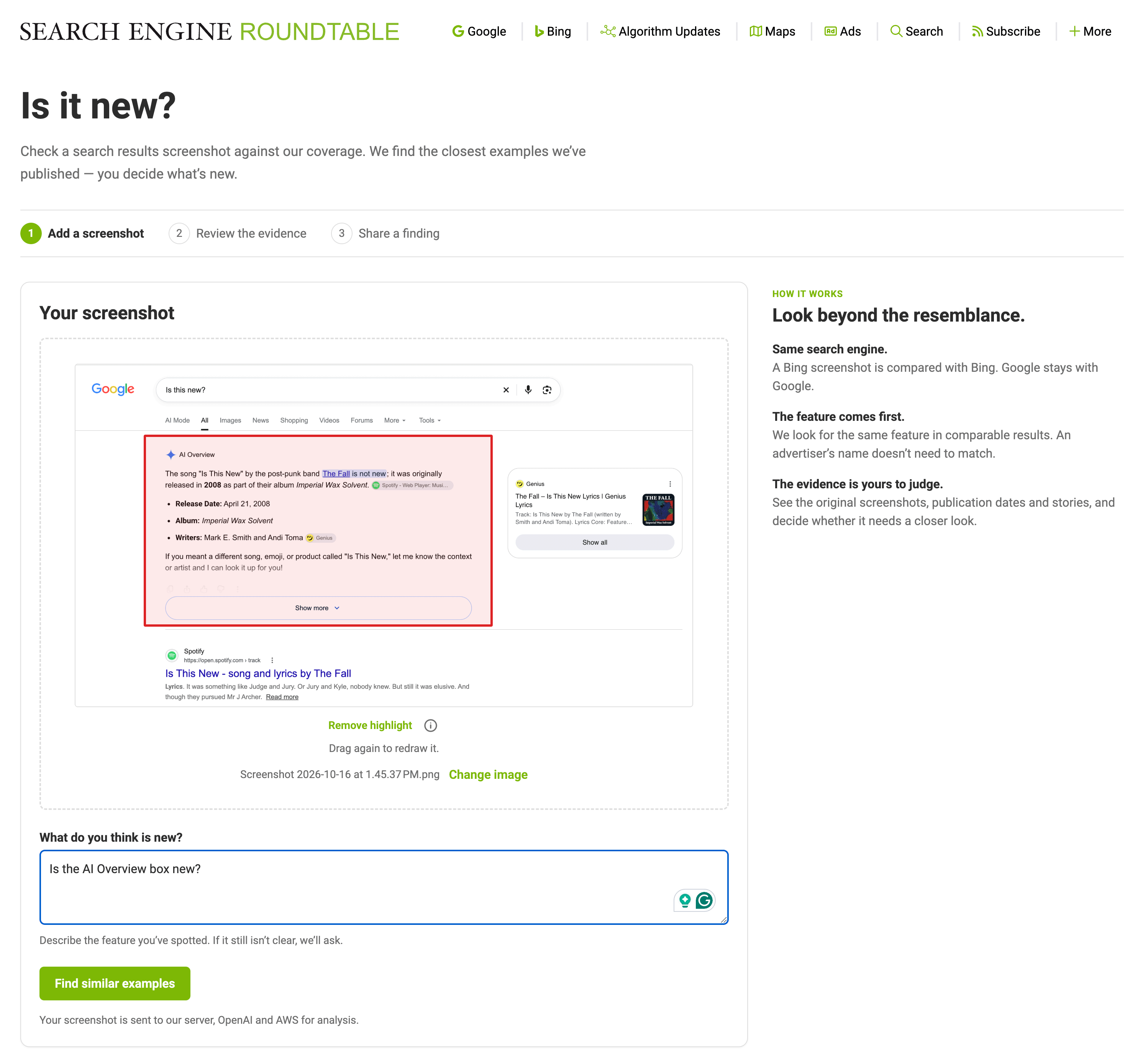
On the front-end, a user can upload a screenshot, add a description, and you can even highlight the portion of the screenshot that they think is new.
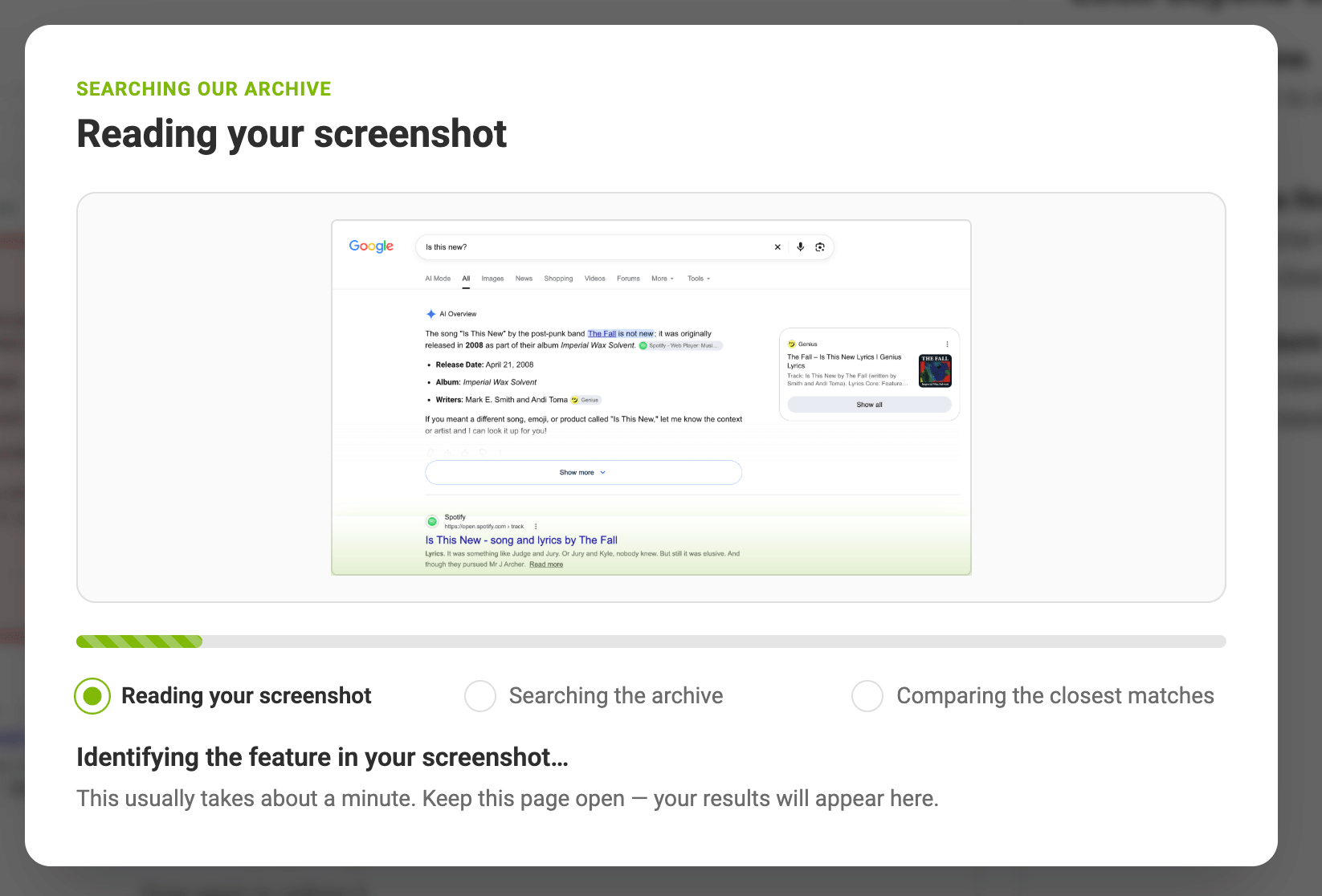
The AI system will read the image, classify it and determine what to match on:
It then looks to see if the image matches any of the existing images or are close matches to any existing images/screenshots in the index:
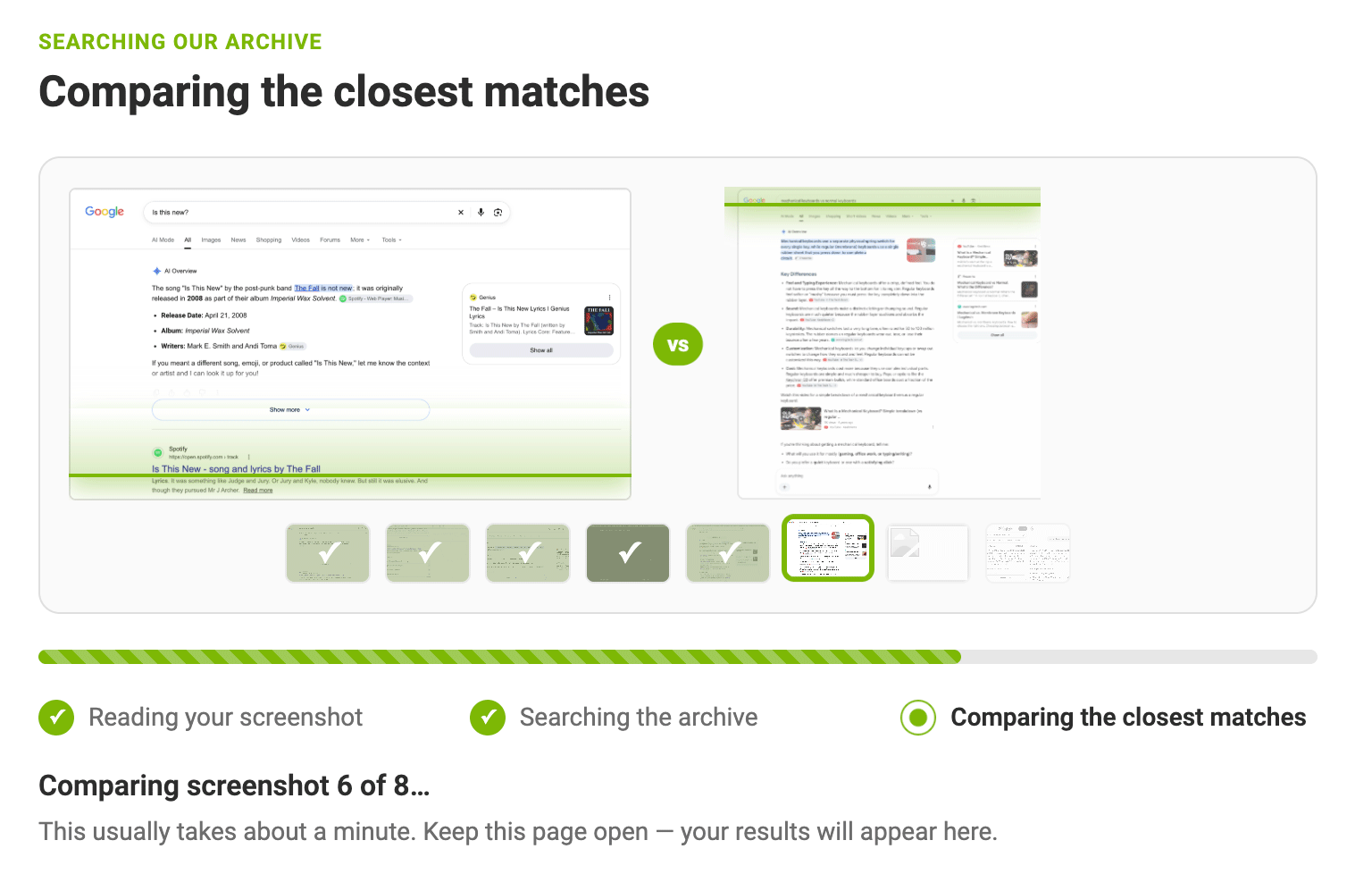
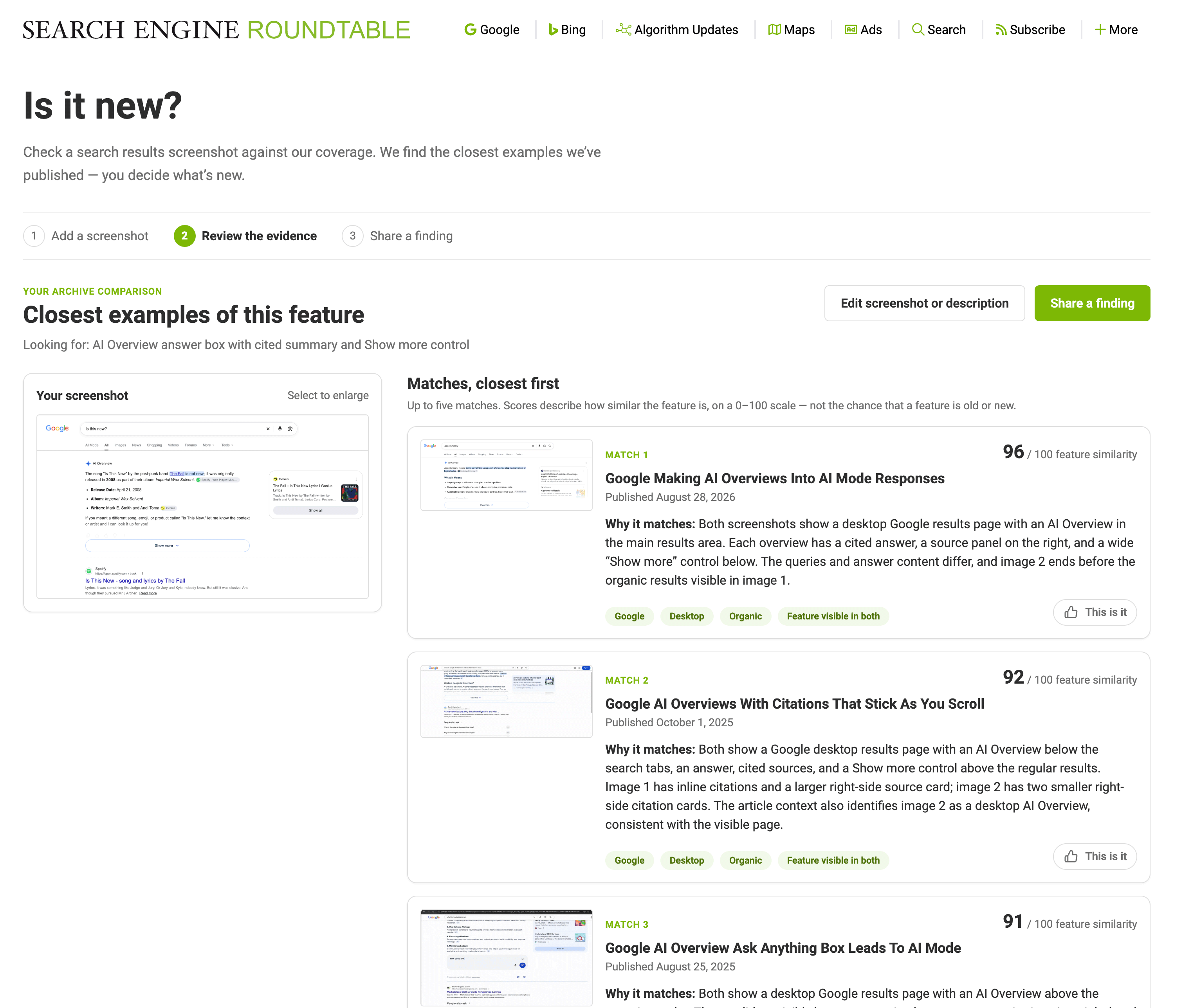
The system will then show the users those matches, if there are any:
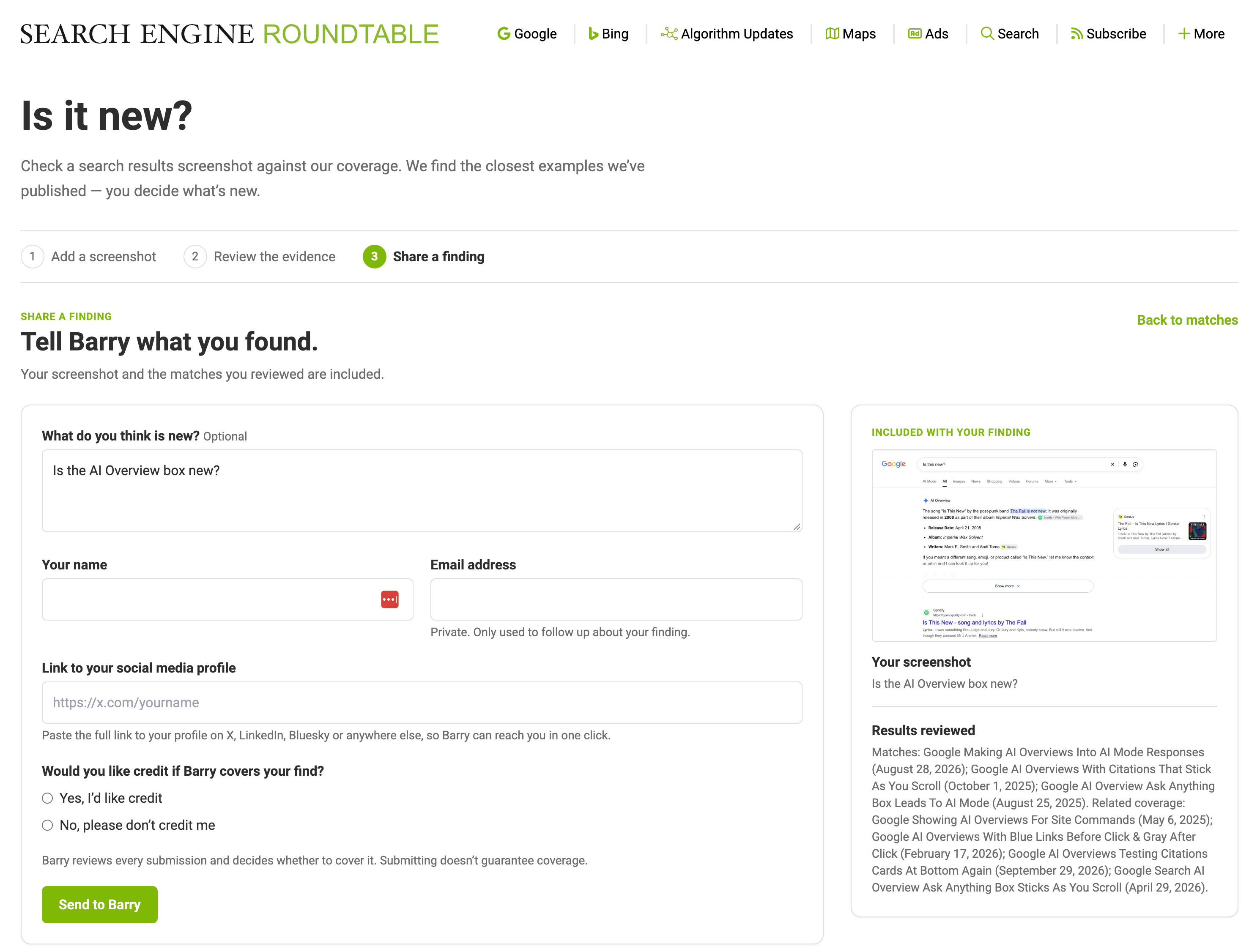
You can also share those findings with the website:
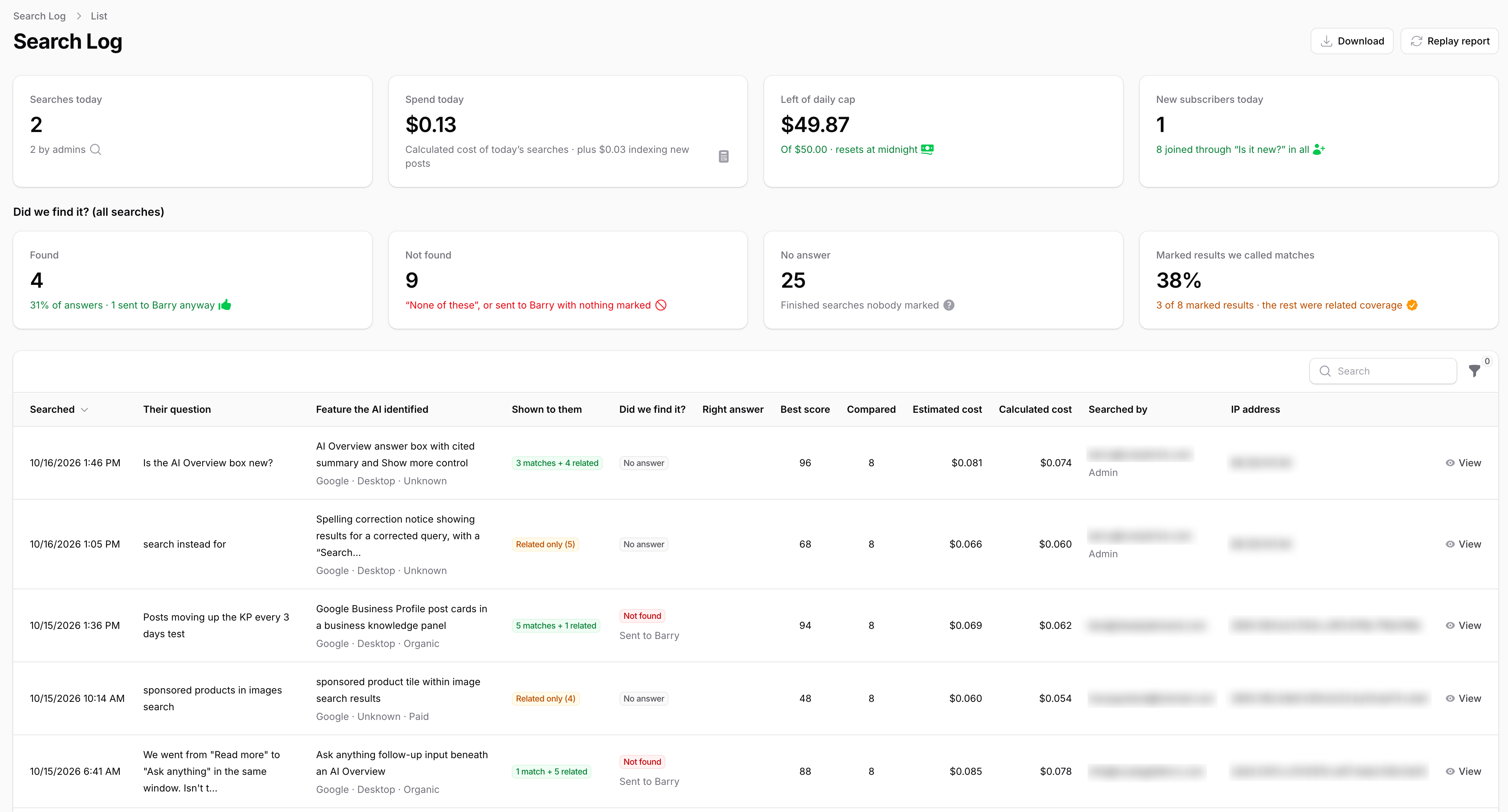
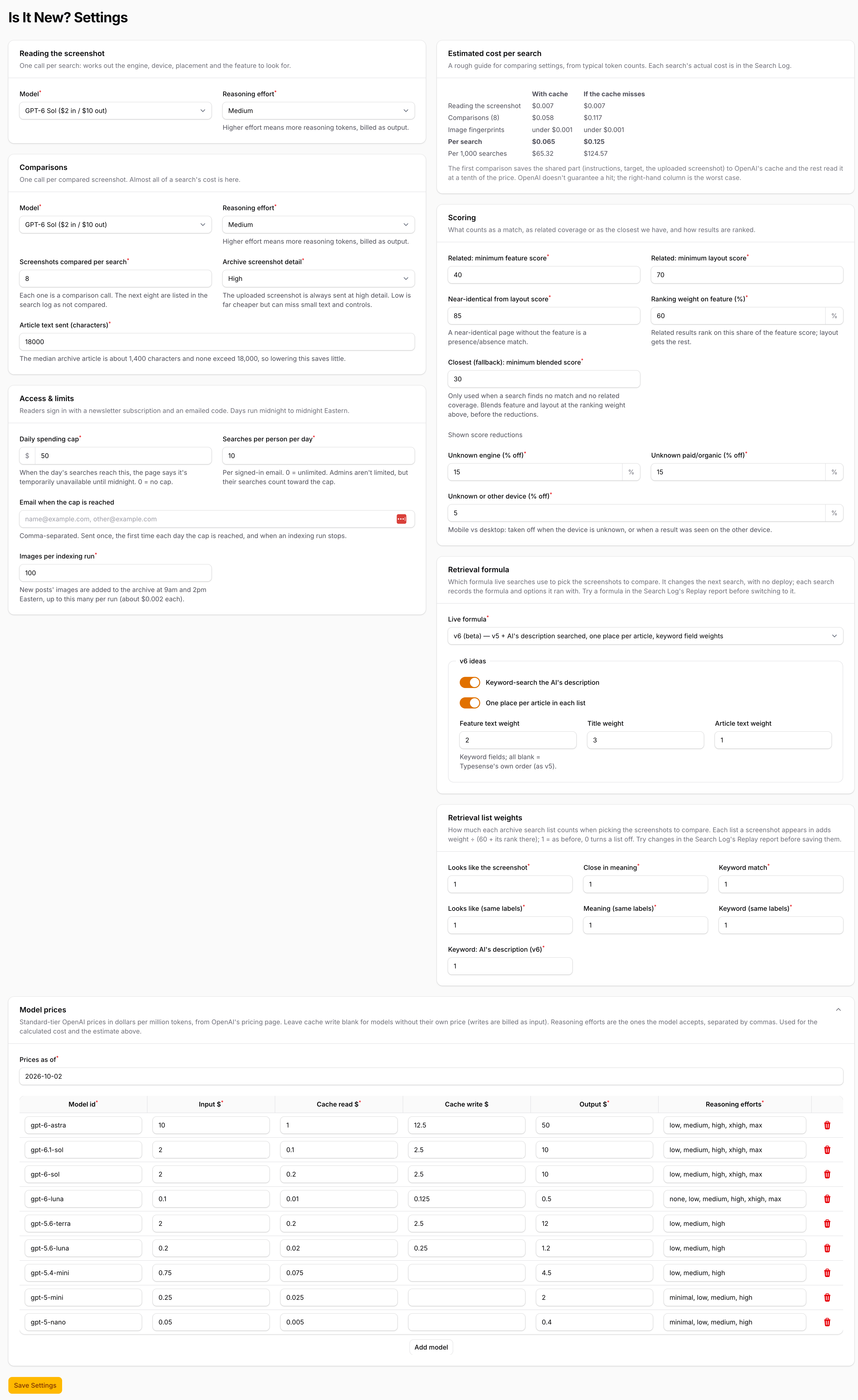
All scans are stored in the backend system where you can review them, test to see if different AI models return better results and label which results are better and which are worse - so the AI can learn from it. There is also a screenshot index archive, submissions system, and a large settings screen to control the model and reason levels used, access limits and controls, scoring and weights configuration, model selections, cost estimates, and more.
In order to prevent abuse, block bots and add some sort of return on investment for the tool, the tool requires non-administrators to add their email to unlock a code to use the tool. It also does have settings for how many times a user can use the tool each day. And the AI models can be adjusted as they improve over time.
Here is a screenshot of the logs and analytics backend screen:
Here are the settings and controls on the backend:
To give it a try, go to seroundtable.com/is-it-new
As a side note, we have been pretty quiet on the RustyBrick site on what we have been working on - that is going to change - since we have a lot to share and catch up.
250 West Nyack Road, Suite #200 West Nyack, NY 10994
Get Directions
877-GO-RUSTY
877-467-8789
845-369-6869
845-228-8177